Shipping Estimate
USA
- USA
- CAN
- USA
- CAN
Ships within 48 hours · Estimated delivery Jul 10 - Jul 15
 Promo Codes Available:
For Your Every Summer RSVP, with Code: SUMMER15
Description
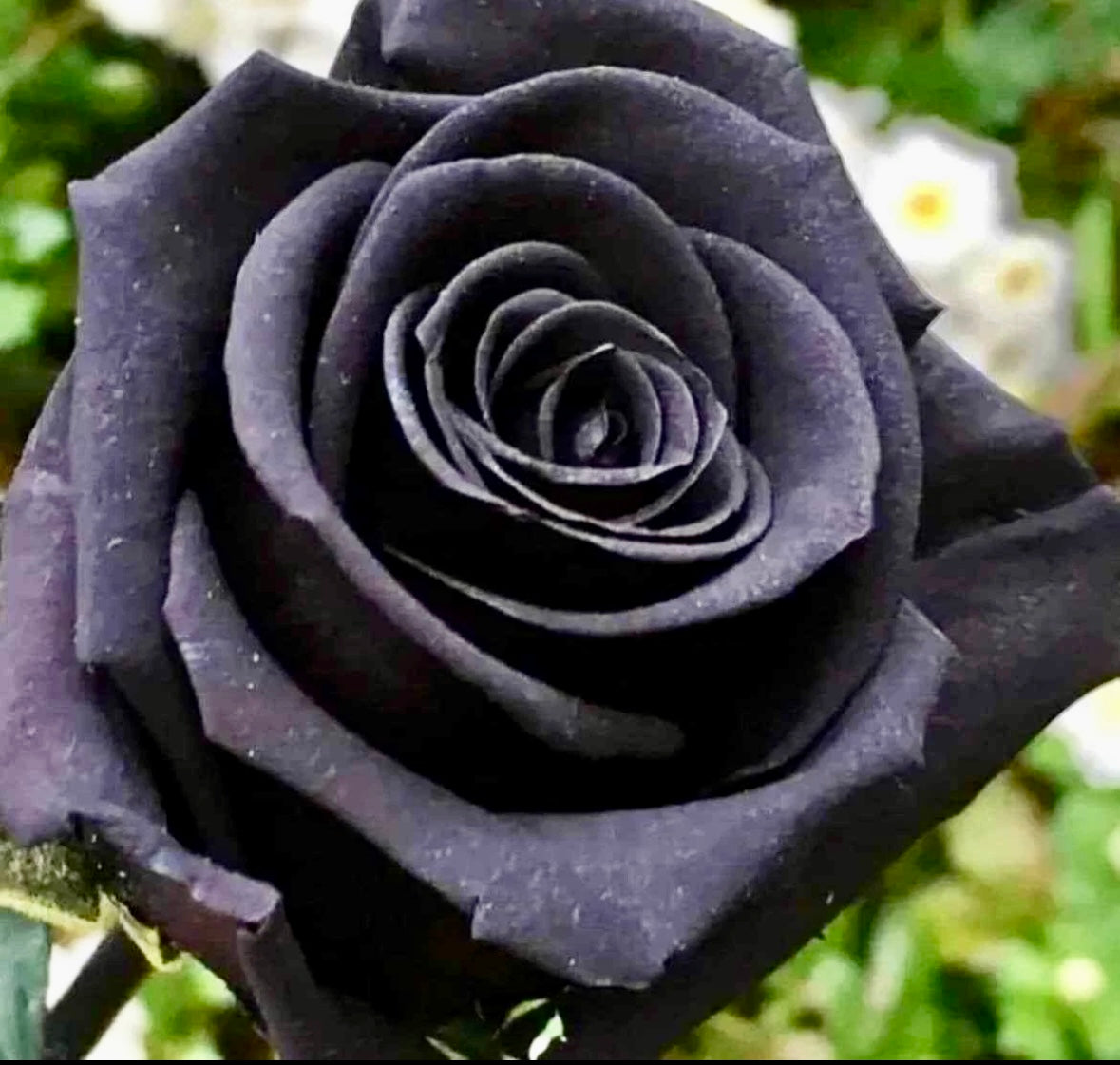
true blood black rose seeds Blood Rose Seeds ~ Plants ~ Garden ~ Grow Your Own ~ Spring Flowers ~ Instead of Flowers ~ PresentsBlood roses have intrigued gardeners and rose enthusiasts alike for centuries because of their unusual appearance and rarity. The black color is due to deep red or purple colors that make the roses appear black. Initially, black rose flowers have a dark coloring, but they turn a deep red once they bloom. Petals of black roses possess a velvety sheen and are tinged with black. ~ Includes ~ ~ 15 Seeds. ~ Grow and Care Instructions. +Lots of other colors
Blood roses have intrigued gardeners and rose enthusiasts alike for centuries because of their unusual appearance and rarity. The black color is due to deep red or purple colors that make the roses appear black. Initially, black rose flowers have a dark coloring, but they turn a deep red once they bloom. Petals of black roses possess a velvety sheen and are tinged with black.
~ Includes ~
~ 15 Seeds.
~ Grow and Care Instructions.
+Lots of other colors available too!!! Black Magic Rose shown in last photo!!!
🌹 Your Plant Bitch’s Grow and Care Instructions 🌹
Before growing roses from seed, the rose seeds need to go through a period of cold moist storage called “stratification” before they will sprout. Plant the rose bush seeds approximately ¼ inch (6 mm.) deep in a seed planting mix in seedling trays or your own planting trays. The trays need not be more than 3 to 4 inches (8-10 cm.) deep for this use. When planting rose seeds from various rose bush hips, I use a separate tray for each different group of seeds and label the trays with that rose bush’s name and planting date.
The planting mix should be very moist but not soaking wet. Seal each tray or container in a plastic bag and place them in the refrigerator for 10 to 12 weeks.
The next step in how to grow roses from seed is to sprout the rose seeds. After having gone through their “stratification” time, take the containers out of the refrigerator and into a warm environment of around 70 degrees F. (21 C.).
Best time to plant is in the early spring, when the seedlings would normally be coming out of their cold cycle (stratification) outside and starting to sprout. Once in the proper warm environment, the rose bush seeds should start to sprout. The rose bush seeds will usually continue to sprout over the course of two to three weeks, but probably only 20 to 30 percent of the rose seeds planted will actually sprout.
Once the rose seeds sprout, carefully transplant the rose seedlings into other pots. It is extremely important not to touch the roots during this process! A spoon may be used for this seedling transfer phase to help keep from touching the roots. Feed the seedlings with half-strength fertilizer and be sure they have plenty of light once they start to grow. The use of a grow light system works very well for this phase of the rose propagation process.
The use of a fungicide on the growing rose seeds will help keep fungal diseases from attacking the rose seedlings at this vulnerable time. Do not overwater the rose seedlings; overwatering is a major killer of seedlings.
Provide a lot of light as well as good air circulation to the rose seedlings to avoid disease and pests. If disease does set in on some of them, it is probably best to eliminate them and keep only the hardiest of the rose seedlings. The time it takes for the new roses to actually flower can vary greatly so be patient with your new rose babies. Growing roses from seed can take some time, but you will be rewarded for your efforts.
💕Please visit me at YourPlantBitch.com to explore all of my collections including my newest items (not available here). Rest assured, my main concern is my customers always!!! I try to provide the best customer service and strive to create a positive shopping experience for my customers. I’m always available to answer any questions or concerns you may have before and after your purchase. Custom orders are welcome!!! I can even include a handwritten gift card for no additional cost. Feel free to send me an offer since I will always do my absolute best to work with my customer’s offers. Contact me with any questions or if you’re interested in my sold~out items or need different quantities.
✨ Follow Me ✨
Instagram: YourPlantBitch
Facebook: Your Plant Biitch
Thank you so very much for supporting my small business!!! 🪴Happy Planting🪴
💚 Best Wishes, Your Plant Bitch (Quinn)
Shipping Notes
- Free Standard Shipping on $100+ Orders to the USA.
- Except Preorder products are shipped in 48 hours.
- Delivery to the USA:
- Standard Shipping : 3-10 business days
- If time is of the essence, please consider selecting expedited delivery for faster service.
Exchange/Return Notes
- We offer a 30-day return/exchange service after receiving.
- Final sale items are not eligible for returns or exchanges.
- To process your return/exchange, please contact us at [email protected]
- Please click here for more details>>> Return & Exchange Policy