Shipping Estimate
USA
- USA
- CAN
- USA
- CAN
Ships within 48 hours · Estimated delivery Jul 11 - Jul 16
 Promo Codes Available:
For Your Every Summer RSVP, with Code: SUMMER15
Description
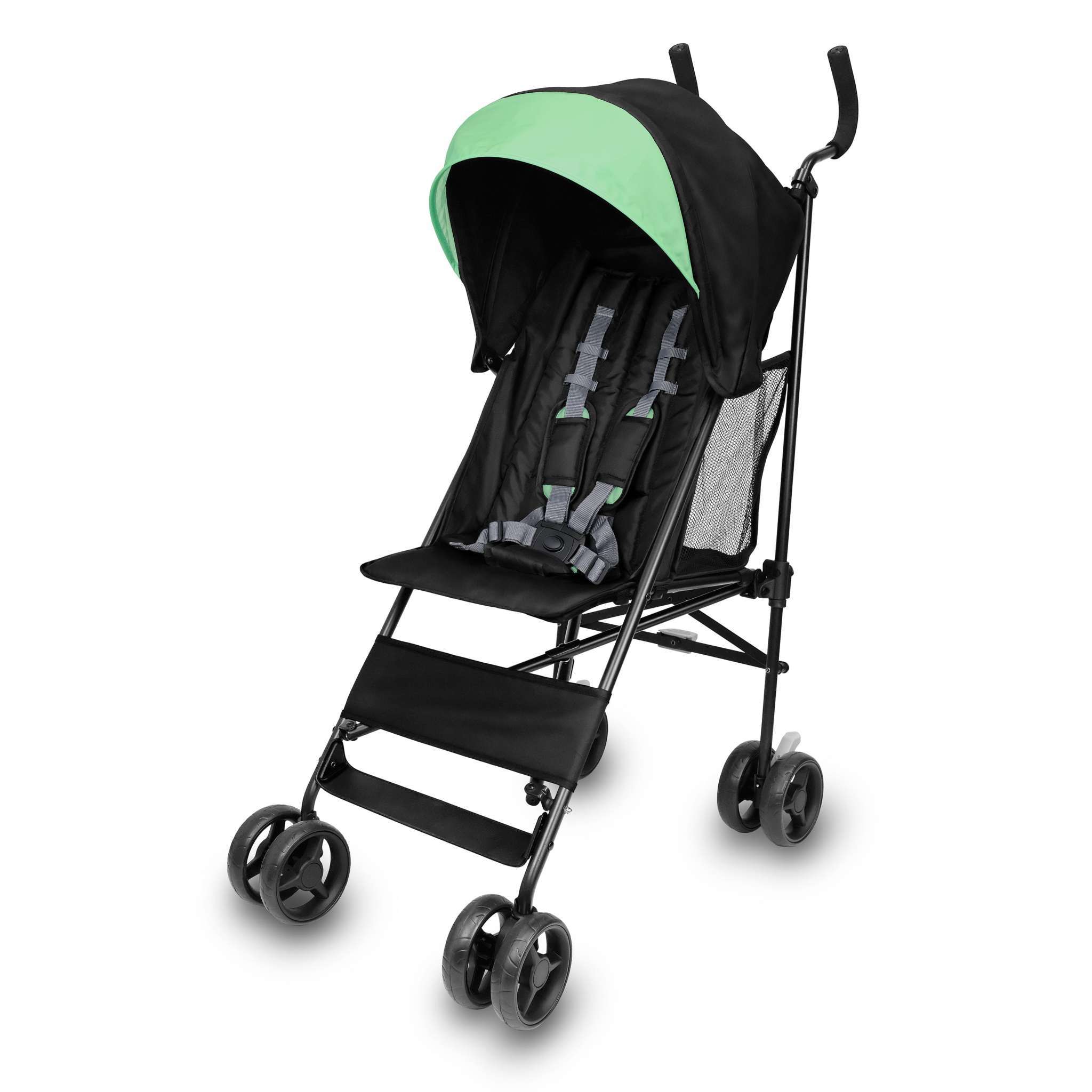
sun umbrella stroller Smooth Stroll Convenience StrollerDescription Keeping things light with a baby is no small feat that's where the Ity by Ingenuity Smooth Stroll Convenience Stroller comes in. Weighing just 11 pounds, this lightweight umbrella stroller is ideal for your family's everyday adventures. Unlike traditional umbrella strollers that fold downward and must be picked up off the ground, the Smooth Stroll folds up towards you, making it easier to pick up and take on the go. Packed with many of the
DescriptionKeeping things light with a baby is no small feat - that's where the Ity by Ingenuity Smooth Stroll Convenience Stroller comes in. Weighing just 11 pounds, this lightweight umbrella stroller is ideal for your family's everyday adventures. Unlike traditional umbrella strollers that fold downward and must be picked up off the ground, the Smooth Stroll folds up towards you, making it easier to pick up and take on the go. Packed with many of the same features as a full-sized stroller, including a spacious seat, easy-access storage basket, a padded seat back with two recline positions, and a protective canopy with a pop-out sun visor, your little one will love coming along for the ride.
- Weighing in at just 11 pounds, the Ity by Ingenuity Smooth Stroll has a lightweight, durable steel frame and folds up towards you compactly with an auto-lock feature that keeps it contained for travel and storage
- Little ones will feel comfy and supported on the go thanks to the full-sized seat, a two-position recline padded seat back, and 5-point safety harness
- Keep the sun's rays at bay with a pop-out sun visor that provides your delicate baby with UPF 50+ protection
- Children aren't the only ones who are in for a smooth ride, thanks to convenient parent features like a cupholder, cushioned handlebars, and a large, easy-access storage basket
- The ideal lightweight stroller for travel or everyday for children 6 months up to 50 pounds; folded dimensions are 51.2" x 11.6" x 7.1"
Price & Details
MSRP: 49.99
SKU: 31864-000
Dimensions (in): 42.0" (H) x 17.25" (W) x 30.0" (L)
User Age Range (months): 6 - 84 months
Assembly Required: Yes
Batteries: Not Required
Materials: 60% Metal, 25% Plastic, 15% Fabric
Instructions & Care
Shipping Notes
- Free Standard Shipping on $100+ Orders to the USA.
- Except Preorder products are shipped in 48 hours.
- Delivery to the USA:
- Standard Shipping : 3-10 business days
- If time is of the essence, please consider selecting expedited delivery for faster service.
Exchange/Return Notes
- We offer a 30-day return/exchange service after receiving.
- Final sale items are not eligible for returns or exchanges.
- To process your return/exchange, please contact us at [email protected]
- Please click here for more details>>> Return & Exchange Policy
4.3 ★★★★★
Based on 127 reviews
Sort
Product Reviews
★★★★★ 5
Asurion worked as intended.
After three years, my monitor failed. Asurion paid to send it to a repair center. I didn't save the box the monitor came in, and paid $23 to have it packaged up. They kept me informed of the various steps, such as en route, arrived, testing, and repair started. They discovered it could not economically be repaired and refunded my purchase price. The entire process from me telling them it was broken until the refund took 5 days. I am well satisfied with the service.
WAS THIS REVIEW HELPFUL?YesReportShare
Reviewed in the United States on August 31, 2025
★★★★★ 1
BUYER BEWARE NOT A AUTHORIZED EPSON SELLER & YOU CANNOT REG THIS PRINTER
I purchased the Epson SureColor F170 from 6Ave through Amazon and discovered during setup that I could not register the printer with Epson. After contacting Epson customer support, I was informed that 6Ave is not an authorized Epson reseller for this product. That the serial number was invalid and likely from overseas. When I had been trying it I got "INVALID SERIAL NUMBER" and when I thought maybe the 0 was an O I got a message that it had already been registered. As a result, Epson would not allow me to register the printer, which raises concerns about warranty coverage and access to manufacturer support. Had this been disclosed before purchase, I would have purchased from an authorized dealer instead. Consumers should be clearly informed when a seller is not authorized by the manufacturer, especially for a product that represents a significant investment. Very disappointing experience. I am glad I was able to contact Amazon and report them.
WAS THIS REVIEW HELPFUL?YesReportShare
Reviewed in the United States on June 6, 2026
★★★★★ 5
Entrega rapidisima
La envié a Venezuela. Me dijeron que funciona bien
WAS THIS REVIEW HELPFUL?YesReportShare
Reviewed in the United States on June 10, 2026
★★★★★ 1
Buyer Beware: Not an Authorized Epson Reseller
I purchased an Epson SureColor F170 from 6Ave through Amazon and discovered during setup that I could not register the printer with Epson. After contacting Epson customer support, I was informed that 6Ave is not an authorized Epson reseller for this product. As a result, Epson would not allow me to register the printer, which raises concerns about warranty coverage and access to manufacturer support. Had this been disclosed before purchase, I would have purchased from an authorized dealer instead. Consumers should be clearly informed when a seller is not authorized by the manufacturer, especially for a product that represents a significant investment. Very disappointing experience.
WAS THIS REVIEW HELPFUL?YesReportShare
Reviewed in the United States on May 29, 2026
★★★★★ 5
Excellent quality results from this little printer!
I read reviews for a lot of sublimation printers, and this always came out top within my price range. The results are fabulous. I’ve used it to produce images on t-shirts, bags, beer koozies, aluminum, glass and mugs, and so far I haven’t been disappointed at all!
I’m using a Mac with Cricut, and it takes a while to get used to the Epson Mac setup, so here’s my tip. You need to print mirrored, especially if you have text, so that when you heat press your work it ends up the correct way around. The Mac driver automatically mirrors everything by default, but you still need the mirror on if you use Cricut, so that the cutting device knows exactly where to cut. So leave the mirror on with Cricut Maker and choose “print with system dialogue” and under the printer info section of the pop up when you go to print, turn off the mirroring. Also, the printer dialogue window never seems to come to the front of the other windows, so don’t sit and wait for hours wondering why it’s not printing. Move your Cricut Maker window and find the print window.
I’m super happy with the results I’m getting. I’m using original Epson ink so I don’t void any warranty, and I’m using regular sublimation paper.
Enjoy your crafting!!
WAS THIS REVIEW HELPFUL?YesReportShare
Reviewed in the United States on September 14, 2025